
Tracing your family’s history has never been easier thanks to modern family tree software. Whether you’re curious about your ancestors, documenting your family history for future generations, or conducting detailed genealogy research, the right software can help you organize names, photos, documents, and historical records in one place.
Years ago, building a family tree meant filling notebooks with handwritten notes and storing old photographs in boxes. Today, family tree software makes the entire process digital, allowing you to create detailed family trees, collaborate with relatives, and even discover new ancestors through historical records and DNA integration.
With so many genealogy tools available, choosing the right one can feel overwhelming. Some are designed for beginners who simply want to map their family members, while others include advanced research tools used by professional genealogists.
This guide explains what family tree software is, how it works, its key features, the different types available, and how to choose the best option for your needs.
What Is Family Tree Software?
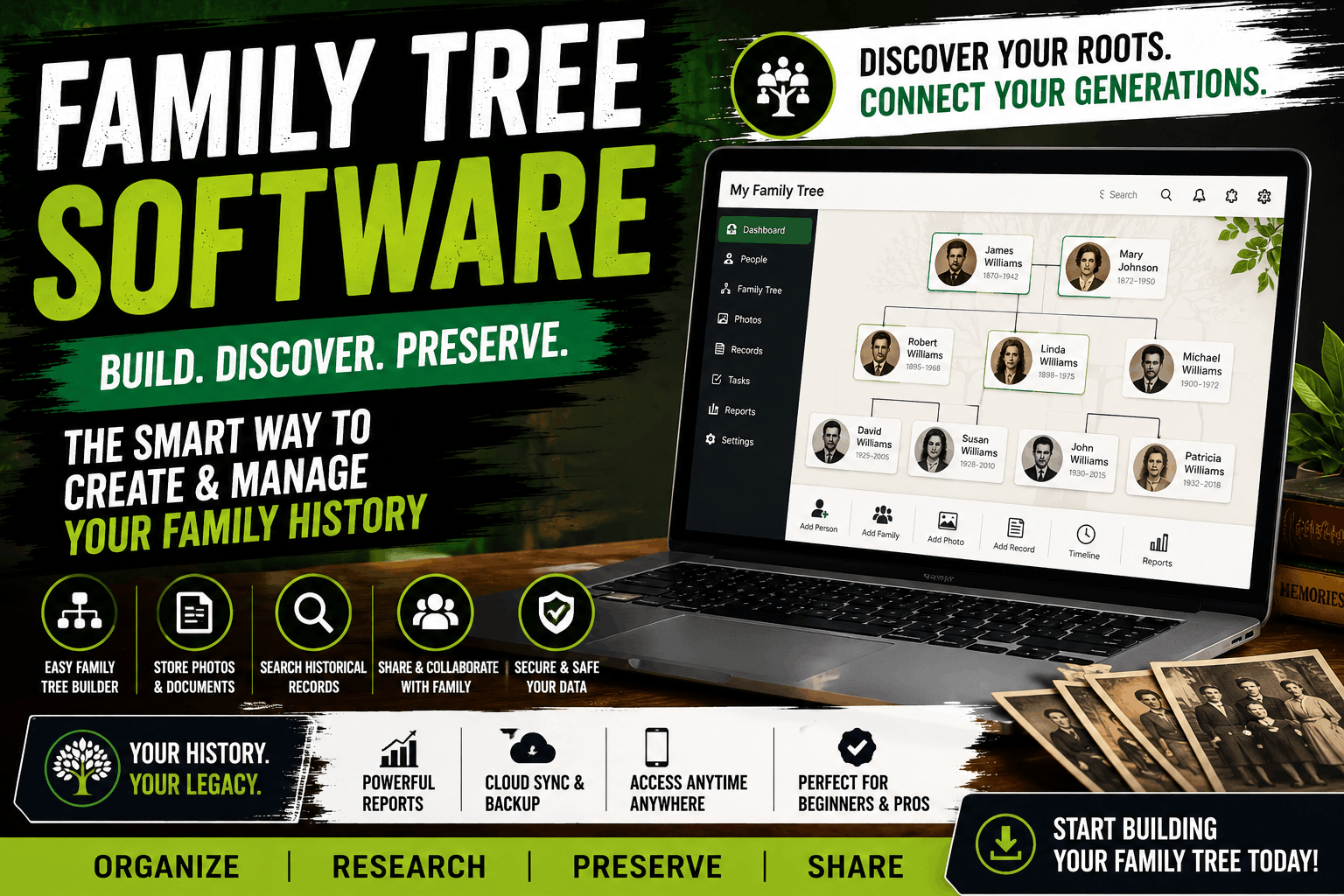
Family tree software is a digital application that helps users create, organize, and manage their family history. Instead of drawing family trees manually, the software allows you to build interactive family trees by adding relatives, birth and death dates, marriages, photographs, historical documents, and personal stories.
Many modern genealogy programs also connect with online databases, making it possible to discover historical census records, immigration documents, military records, and other valuable information about your ancestors.
Whether you’re documenting a small family or researching generations of ancestry, family tree software keeps everything organized and easy to update.
How Does Family Tree Software Work?
Although every application is different, most family tree software follows a similar process.
Step 1: Create Your Profile
The process usually begins by entering your own information, including your name, birth date, and place of birth.
Step 2: Add Immediate Family Members
Next, you’ll add parents, siblings, spouses, and children.
As each person is added, the software automatically connects relationships and expands your family tree.
Step 3: Continue Building Earlier Generations
You can gradually add grandparents, great-grandparents, cousins, aunts, uncles, and other relatives as information becomes available.
Step 4: Upload Photos and Documents
Most genealogy programs allow you to attach:
- Family photographs
- Birth certificates
- Marriage certificates
- Military records
- Newspaper clippings
- Audio recordings
- Videos
- Personal notes
These files help preserve family history in a single organized location.
Step 5: Discover Historical Records
Some family tree software integrates with genealogy databases, allowing users to search billions of historical records without manually browsing archives.
These records can often reveal new ancestors and verify existing family information.
Benefits of Using Family Tree Software
Building your family history digitally offers several advantages over traditional paper records.
Keeps Everything Organized
Instead of storing documents in multiple folders or notebooks, family tree software keeps names, dates, photographs, and records together in one searchable database.
Preserves Family History
Important family stories, documents, and memories can be preserved digitally for future generations.
Many programs also support cloud backups, reducing the risk of losing valuable information.
Makes Research Easier
Searching hundreds of names manually can become difficult over time.
Family tree software allows you to search your database instantly and generate detailed reports in seconds.
Encourages Family Collaboration
Many applications allow multiple family members to contribute information, upload photographs, and verify historical details.
This collaborative approach often leads to more accurate family trees.
Generates Professional Charts
Instead of creating diagrams by hand, the software automatically generates attractive family tree charts that can be printed or shared digitally.
Types of Family Tree Software
Not all genealogy software is designed for the same audience.
Desktop Family Tree Software
Desktop applications are installed directly on your computer.
Advantages include:
- Offline access
- Fast performance
- Greater control over data
- One-time purchase options
They’re ideal for users who prefer storing data locally.
Cloud-Based Family Tree Software
Cloud-based platforms store your family tree online.
Benefits include:
- Automatic backups
- Access from multiple devices
- Easy sharing with relatives
- Real-time collaboration
These programs are popular among families working together on genealogy projects.
Mobile Family Tree Apps
Many genealogy providers also offer mobile apps for Android and iPhone.
These apps allow users to:
- View family trees
- Add relatives
- Upload photos
- Research ancestors
- Edit information while traveling
Professional Genealogy Software
Professional genealogy tools include advanced features such as:
- Source citation management
- DNA integration
- Historical record matching
- Research logs
- Advanced reporting
- Data consistency checking
These programs are best suited for experienced researchers and historians.
Essential Features to Look for in Family Tree Software
Not all family tree software offers the same tools, so it’s important to choose one that matches your research goals and experience level. While beginners may only need basic family tree creation, experienced genealogists often look for advanced research and reporting features.
Easy-to-Use Interface
A clean and intuitive interface makes it easier to add family members, edit relationships, and navigate large family trees. Beginners should look for software with simple menus and drag-and-drop functionality.
Interactive Family Tree Builder
The best family tree software lets you build and expand your tree visually. As you add new relatives, the software automatically creates relationships between parents, children, spouses, and siblings.
Photo and Document Storage
Family history is more than names and dates. Choose software that allows you to upload:
- Family photographs
- Birth certificates
- Marriage records
- Death certificates
- Military documents
- Letters and diaries
- Newspaper clippings
Keeping these files attached to each person makes your research more complete and easier to manage.
Historical Record Integration
Many genealogy programs connect to online databases, making it possible to search historical records directly from the software. This feature can save time and help verify important family information.
Collaboration Tools
If you’re researching your family with siblings, cousins, or other relatives, collaboration features are valuable. Some platforms allow multiple users to contribute information, upload photos, and edit the family tree together.
Reporting and Chart Generation
Most quality family tree software can automatically generate reports and printable charts, including:
- Pedigree charts
- Ancestor reports
- Descendant reports
- Fan charts
- Relationship charts
- Timeline reports
These reports make it easier to understand and share your family history.
Cloud Backup and Synchronization
Automatic backups protect your research from accidental data loss. Cloud synchronization also allows you to access your family tree from different devices.
Best Family Tree Software
Several genealogy programs have earned strong reputations for their features, ease of use, and historical research capabilities.
Ancestry
Ancestry is one of the most popular genealogy platforms in the world. It offers access to billions of historical records, automatic record suggestions, DNA matching, and easy online collaboration.
Best for:
- Beginners
- Family historians
- Users interested in DNA research
MyHeritage
MyHeritage combines family tree building with historical records, AI-powered photo enhancement, and DNA testing services.
It also supports multilingual users, making it a popular choice for international families.
Best for:
- International genealogy
- Photo restoration
- DNA matching
Family Tree Maker
Family Tree Maker has been a trusted desktop genealogy program for many years. It provides advanced tree management while synchronizing with online family trees.
Best for:
- Desktop users
- Large family databases
- Experienced researchers
Legacy Family Tree
Legacy Family Tree offers powerful reporting tools, source citation management, and detailed research features for serious genealogists.
Best for:
- Professional researchers
- Advanced genealogy projects
Gramps
Gramps is a free, open-source genealogy program that provides extensive customization options for users comfortable with more advanced software.
Best for:
- Budget-conscious users
- Open-source enthusiasts
- Advanced customization
Free vs. Paid Family Tree Software
Choosing between free and paid software depends on your research needs.
| Feature | Free Software | Paid Software |
|---|---|---|
| Family tree creation | Yes | Yes |
| Basic reports | Yes | Yes |
| Cloud syncing | Limited | Usually included |
| Historical records | Limited | Extensive access |
| DNA integration | Rare | Common |
| Customer support | Community-based | Dedicated support |
| Advanced reports | Limited | Full access |
| Collaboration tools | Basic | More comprehensive |
For casual users, free software may be enough. However, serious genealogy researchers often benefit from the advanced features available in paid programs.
How to Choose the Best Family Tree Software
With so many options available, consider these factors before making your decision.
Define Your Goals
Ask yourself what you want to accomplish.
- Build a simple family tree
- Preserve family history
- Research ancestors
- Collaborate with relatives
- Explore DNA matches
Your goals will help narrow your options.
Consider Ease of Use
If you’re new to genealogy, choose software with an intuitive interface and helpful tutorials.
Advanced programs may offer more features but often have a steeper learning curve.
Check Compatibility
Make sure the software works with your operating system and devices, whether you use Windows, macOS, Android, or iPhone.
Cloud-based platforms are ideal if you want access across multiple devices.
Compare Pricing
Some programs require a one-time purchase, while others use monthly or annual subscriptions.
Before paying, compare features to determine which option offers the best value for your budget.
Read User Reviews
Reviews from other users can provide valuable insight into software reliability, customer support, and long-term performance.
Common Mistakes to Avoid
Many beginners make small mistakes that can create confusion later.
Avoid these common issues:
- Adding duplicate family members
- Saving information without verifying sources
- Forgetting to back up your data
- Ignoring historical record citations
- Mixing individuals with similar names
- Failing to update information as new records become available
Taking time to verify details helps create a more accurate and reliable family tree.
Pros and Cons of Family Tree Software
| Pros | Cons |
| Organizes family history efficiently | Premium features often require subscriptions |
| Stores photos and historical documents | Some databases are region-specific |
| Generates professional charts | Learning advanced features can take time |
| Supports collaboration with relatives | Large databases may become complex |
| Simplifies genealogy research | Internet access may be required for some features |
Tips for Building an Accurate Family Tree
Creating a family tree is an ongoing project rather than a one-time task. As you discover new records and connect with relatives, your family history will continue to grow. Following a few best practices can help ensure your research remains accurate and well organized.
Verify Every Source
Whenever possible, confirm information using reliable records instead of relying solely on family stories or online family trees.
Useful sources include:
- Birth certificates
- Marriage records
- Death certificates
- Census records
- Church records
- Military records
- Immigration documents
- Newspaper archives
Using verified sources improves the accuracy of your family tree.
Record Complete Information
Try to include more than just names.
Helpful details include:
- Full names
- Nicknames
- Birth and death dates
- Places of birth
- Marriage dates
- Occupations
- Photographs
- Personal stories
The more information you preserve today, the more valuable your family tree will become for future generations.
Organize Digital Files
As your research grows, you’ll collect dozens—or even hundreds—of documents and photographs.
Create folders organized by family branch, surname, or generation so files remain easy to locate.
Back Up Your Research
Even the best family tree software can’t protect against every unexpected problem.
Keep regular backups on:
- External hard drives
- Cloud storage
- USB drives
Having multiple backups reduces the risk of losing years of research.
Collaborate with Family Members
Relatives often possess photographs, letters, and stories that aren’t available anywhere else.
Working together can help fill missing gaps and verify family relationships.
FAQs
What is family tree software?
Family tree software is a digital tool that helps users create, organize, and manage their family history. It allows you to build interactive family trees, store documents and photographs, and record relationships across multiple generations.
Is family tree software free?
Some family tree software is completely free, while others offer free versions with optional premium upgrades. Paid plans often include advanced genealogy tools, historical record access, and cloud synchronization.
What is the best family tree software?
The best option depends on your needs. Beginners often prefer user-friendly platforms, while experienced genealogists may choose software with advanced reporting, source citation, and historical record integration.
Can I use family tree software without an internet connection?
Yes. Many desktop genealogy programs work offline, allowing you to create and edit your family tree without internet access. However, online record searches and cloud synchronization usually require a connection.
Is my family information private?
Most reputable family tree software providers include privacy settings that let you control who can view or edit your family tree. Always review the platform’s privacy policy before uploading sensitive information.
Can I share my family tree with relatives?
Yes. Many programs allow you to invite family members to view or contribute to your tree. This makes collaboration much easier and helps preserve family history together.
Can family tree software connect with DNA tests?
Some genealogy platforms integrate with DNA testing services, allowing users to discover potential relatives, explore ethnic origins, and confirm family connections through genetic matching.
How often should I update my family tree?
It’s a good idea to update your tree whenever you discover new records, receive information from relatives, or experience important family events such as births, marriages, or deaths.
Can I print my family tree?
Yes. Most family tree software allows you to print family trees in various formats, including pedigree charts, descendant charts, fan charts, and detailed genealogy reports.
Is family tree software suitable for beginners?
Absolutely. Many modern genealogy programs are designed with beginners in mind and include simple interfaces, step-by-step guidance, and helpful tutorials to make building a family tree easy.
Conclusion
Family tree software has transformed the way people research, preserve, and share their family history. Instead of relying on handwritten notes or scattered documents, you can organize generations of information in one secure, searchable location. From recording birth and marriage details to storing treasured photographs and historical records, these tools make genealogy more accessible than ever.
Whether you’re just beginning your ancestry journey or you’re an experienced researcher managing thousands of family records, choosing the right family tree software can save time, improve accuracy, and make your research far more enjoyable. Look for software that matches your goals, offers the features you need, and fits your budget.
As your family tree continues to grow, regular updates, verified sources, and collaboration with relatives will help ensure your research remains accurate for generations to come. With the right software and a thoughtful approach, you’ll create a lasting record of your family’s story that can be shared and appreciated for years to come.